
Press
Press kit
VECA is a classic, financial and scientific calculator for iPhone and iPad with an on-device assistant that shows exactly how it read your question before the calculator works out the answer.
Press contact: press@vecacalculator.com
About
VECA is a calculator for iPhone and iPad that you can talk to, and that always shows how it read you.
Underneath is a complete instrument: a classic calculator, a full scientific set when you turn the device sideways, and a financial mode with time value of money, cash flows, bonds, depreciation, dates, statistics and RPN entry. It comes in two styles. Glass has frosted keys, a serif number and amber operators. Vintage is a brushed plate with an LCD and printed f and g legends. Both follow light and dark.
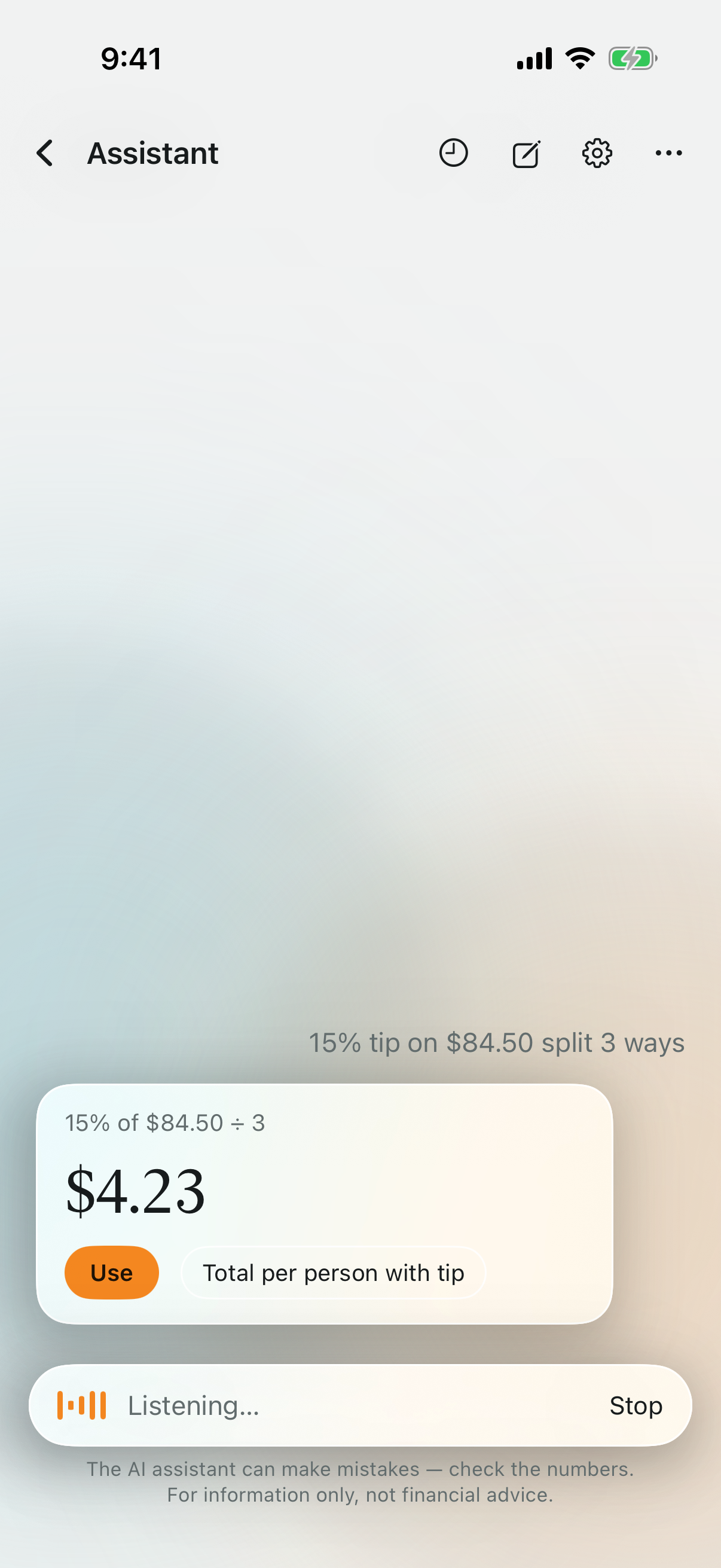
Ask a question in plain words, typed or spoken, and the assistant answers first with its reading: "Monthly payment on a $400,000 loan at 6% over 30 years." Each value in it can be changed. Only then does the calculator work out the answer, with the same code the keypad uses; the AI never does the arithmetic. The answer lands on the display, ready for the next step.
Everything runs on the device. Apple's on-device model reads the question, speech is recognised locally, and there are no servers, no account and no tracking.
Key features
- The reading: every answer shows how your question was read before anything is worked out.
- An assistant that runs on the device, for typed and spoken questions, with no servers and no account.
- The AI never does the math: answers come from the calculator's own code.
- Two styles, Glass and Vintage, each in light and dark.
- Financial mode: TVM, NPV and IRR, bonds, depreciation, dates, statistics and RPN.
- The full scientific set in landscape.
- iPad layouts with a tape you can drag results from.
App icon
Amber is the default. With Settings → Match app icon turned on, the icon follows the Glass accent you pick. It also switches between light and dark with the device. Downloads are square 1024 px PNGs, unmasked.
Screenshots
Captured from the app. Click any image for the full-resolution PNG.
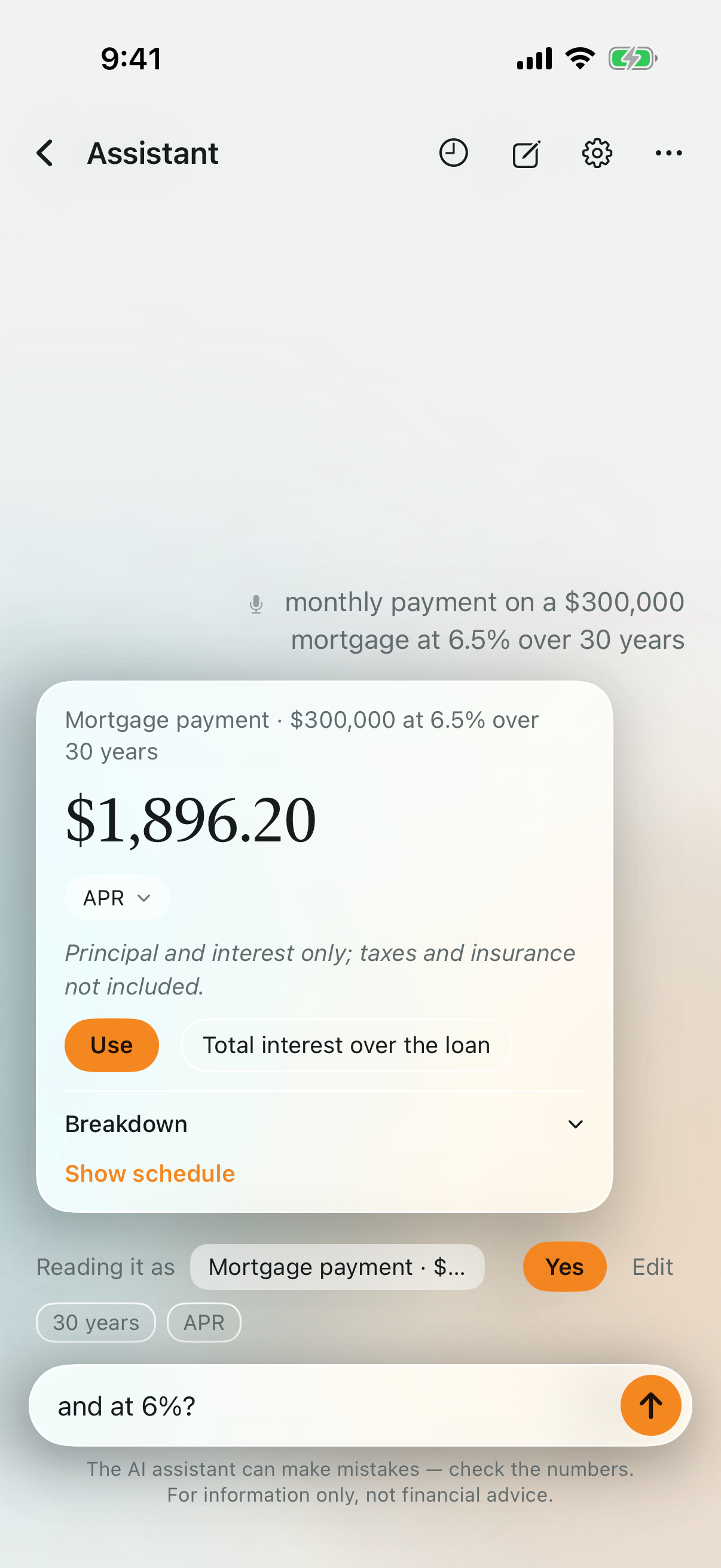
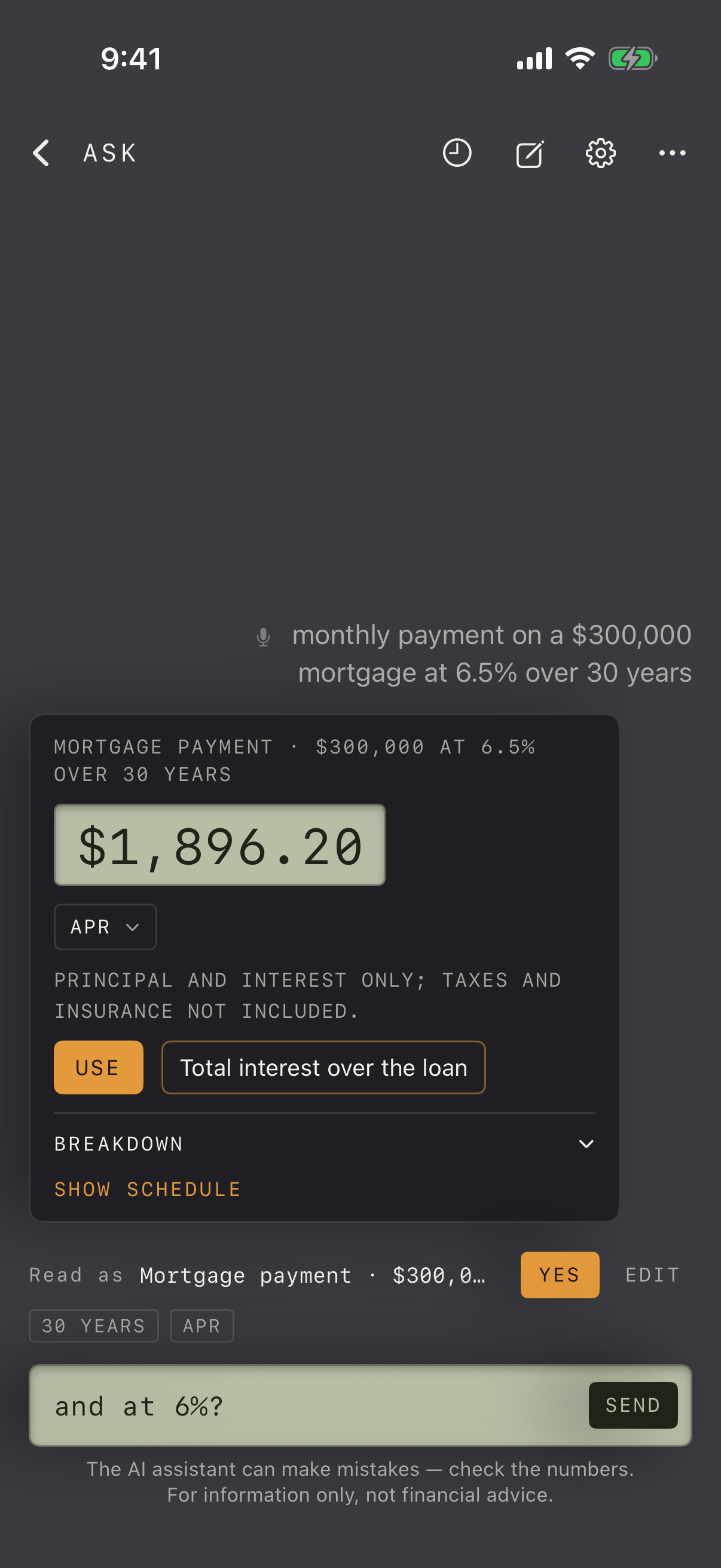
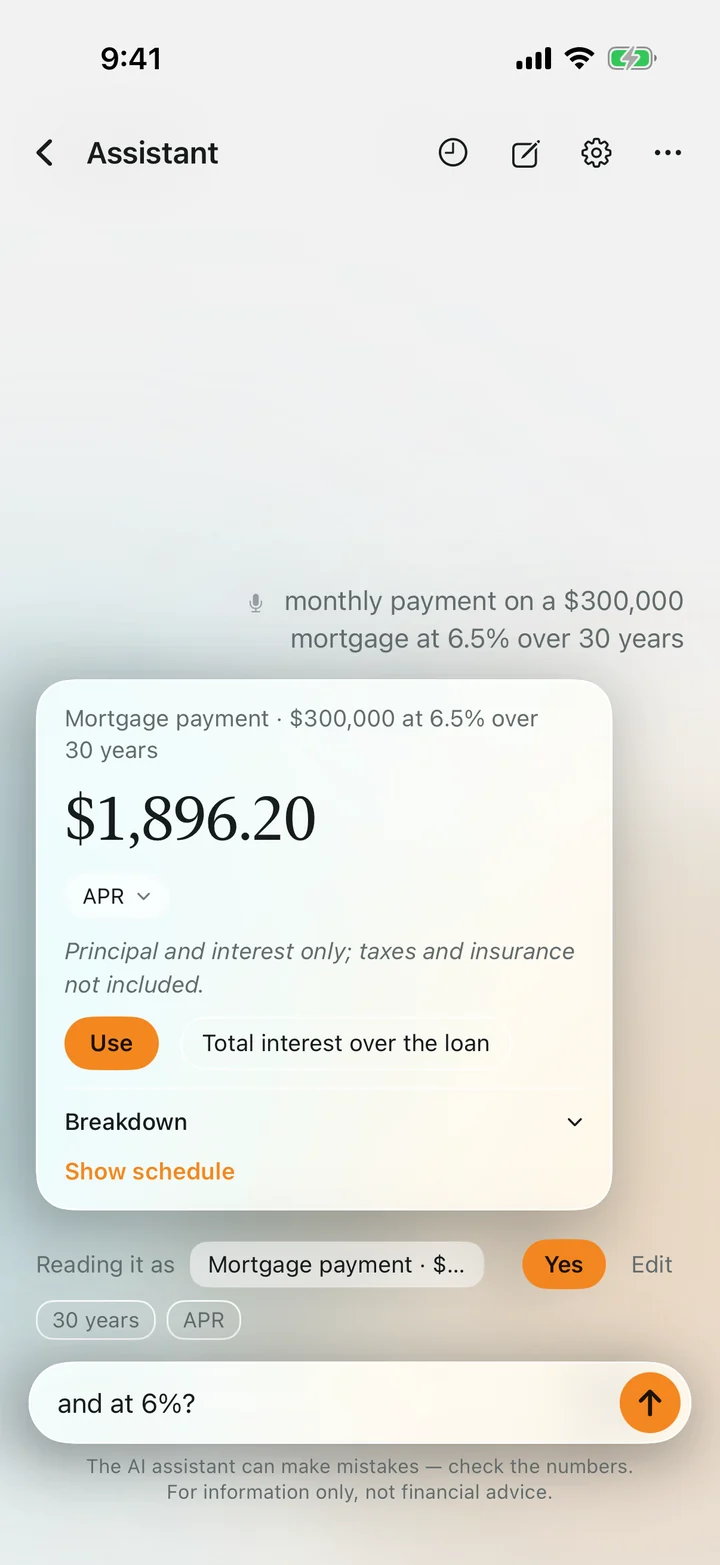 The reading comes first: Yes to go ahead, Edit to change it.
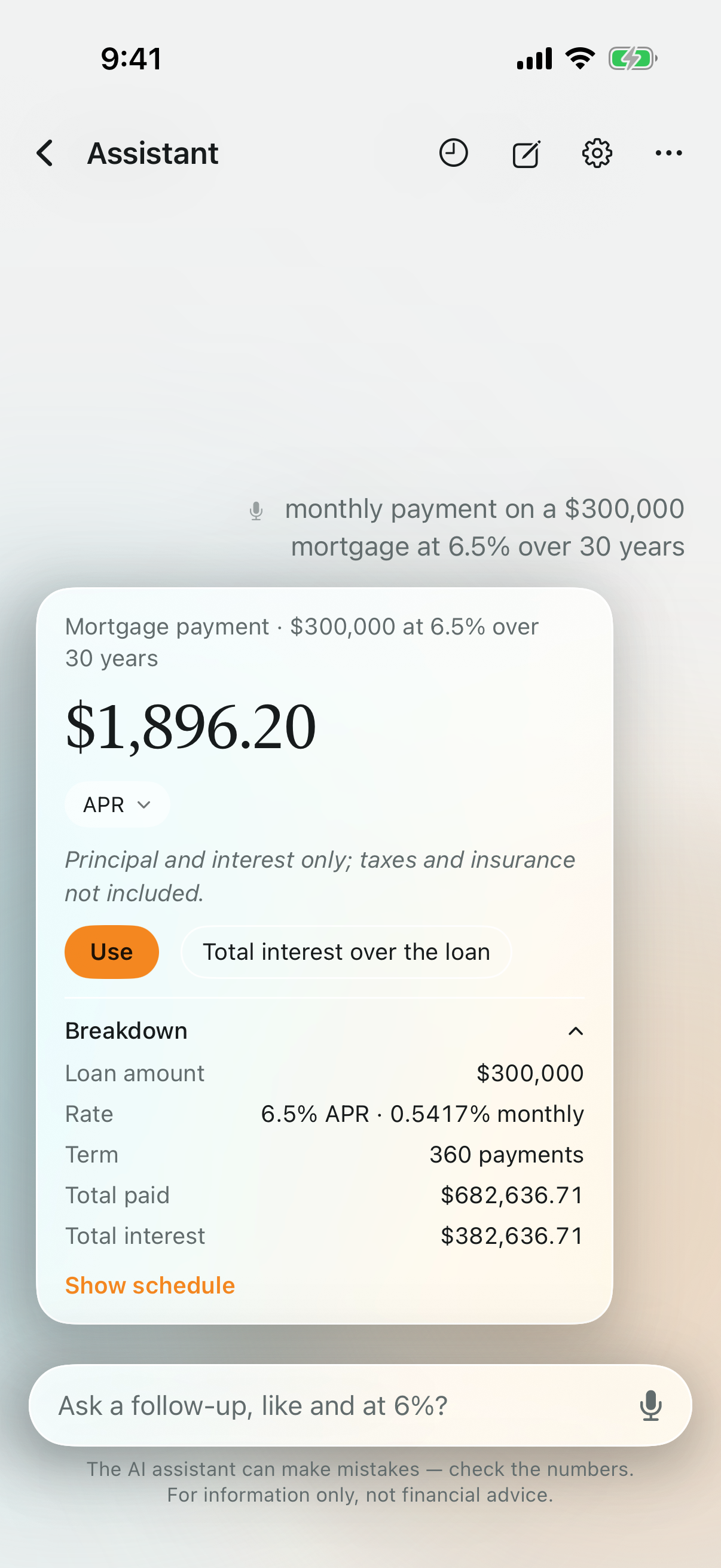
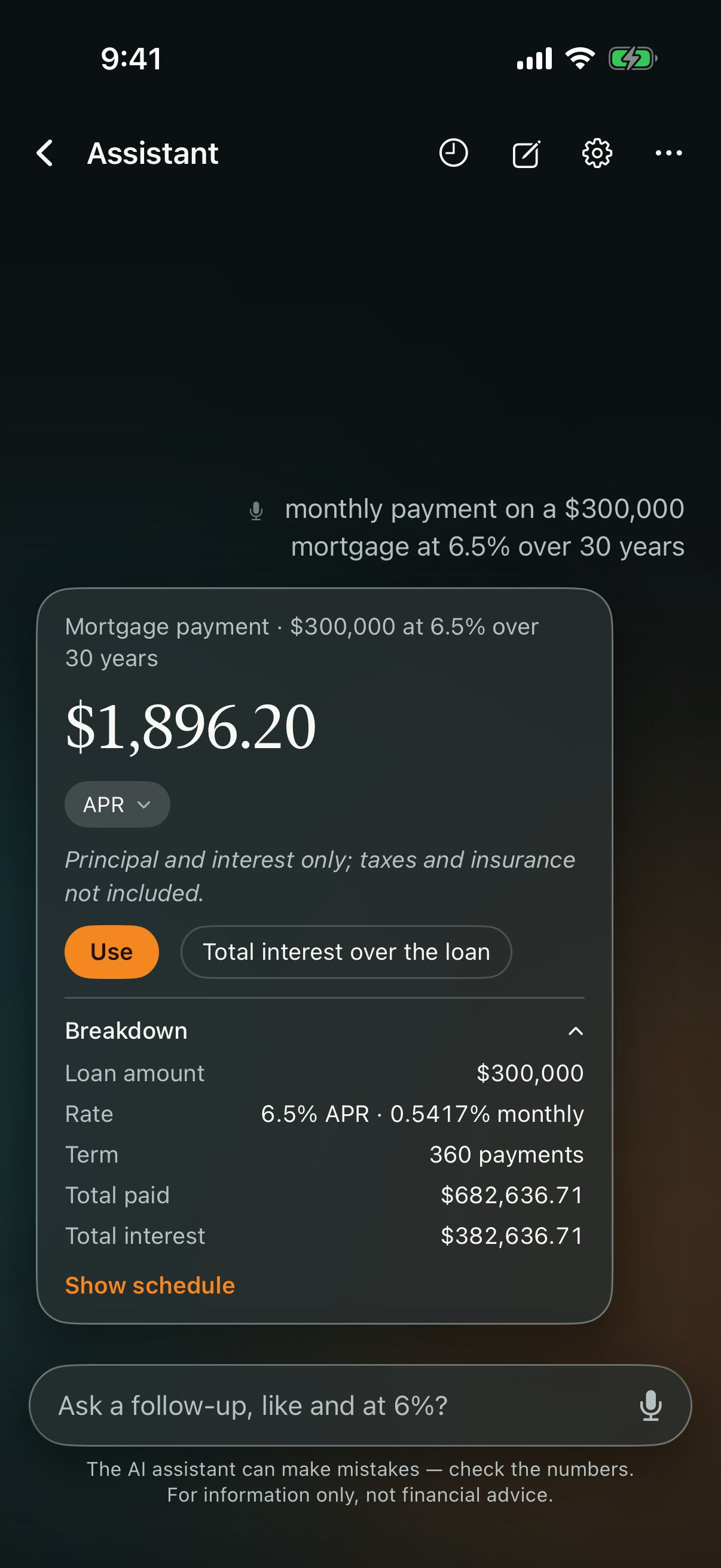
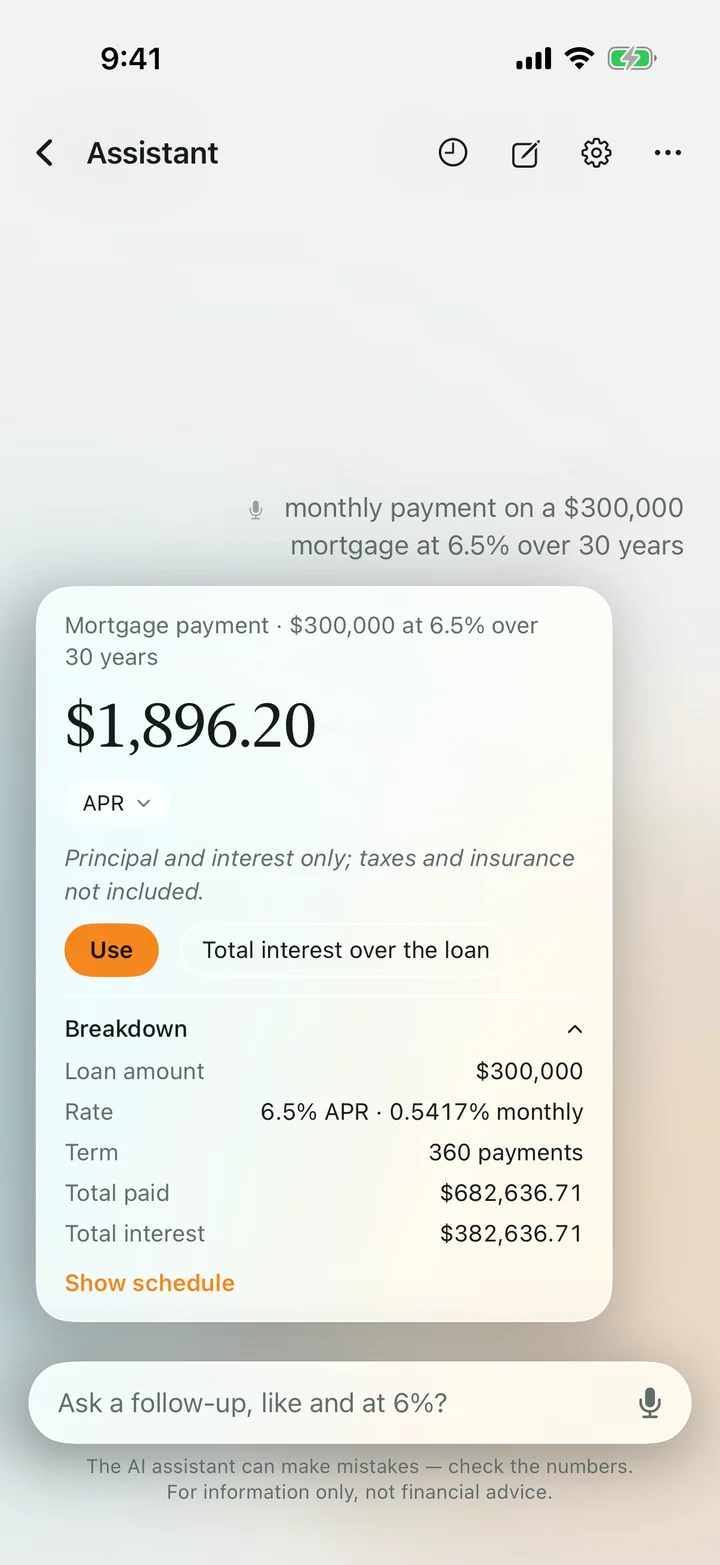 A mortgage answer with its breakdown, worked out by the calculator.
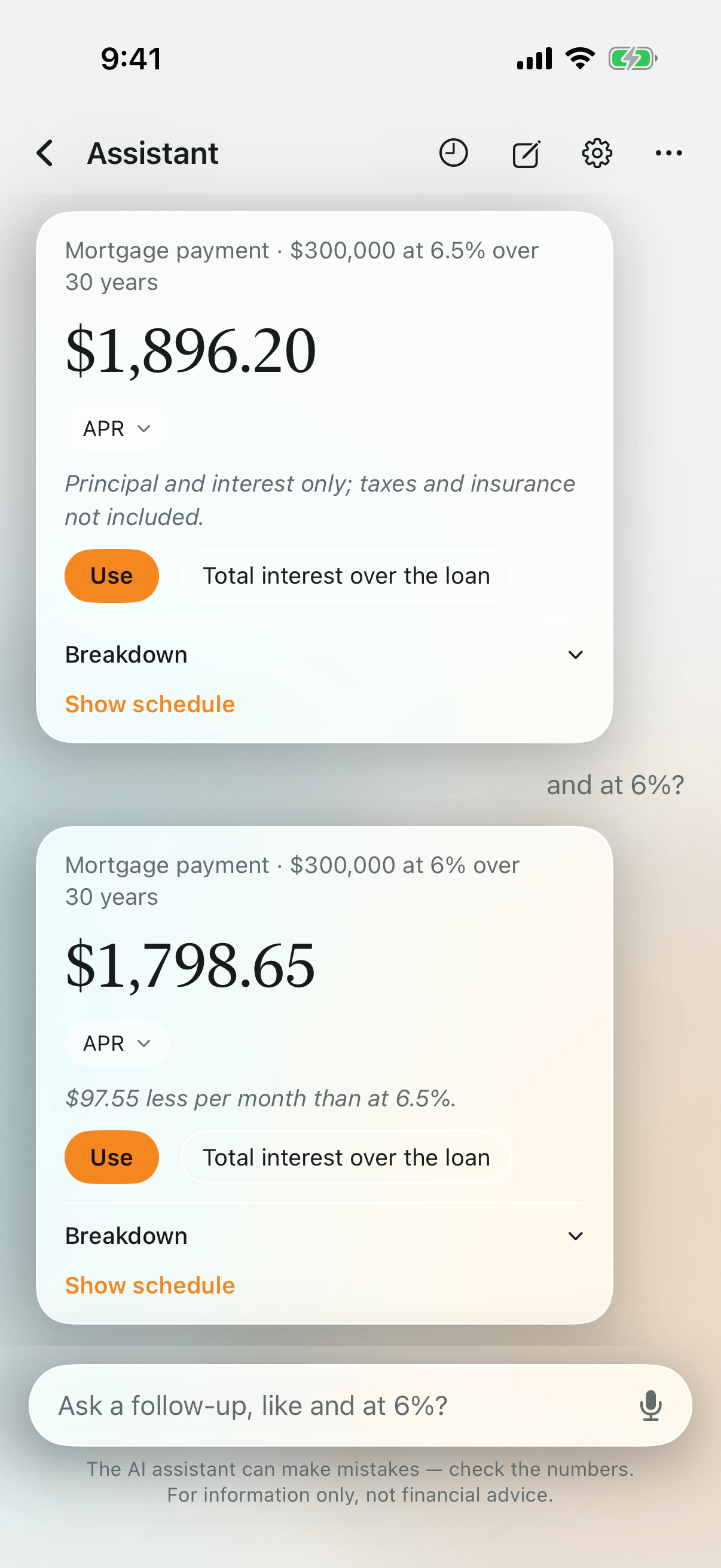
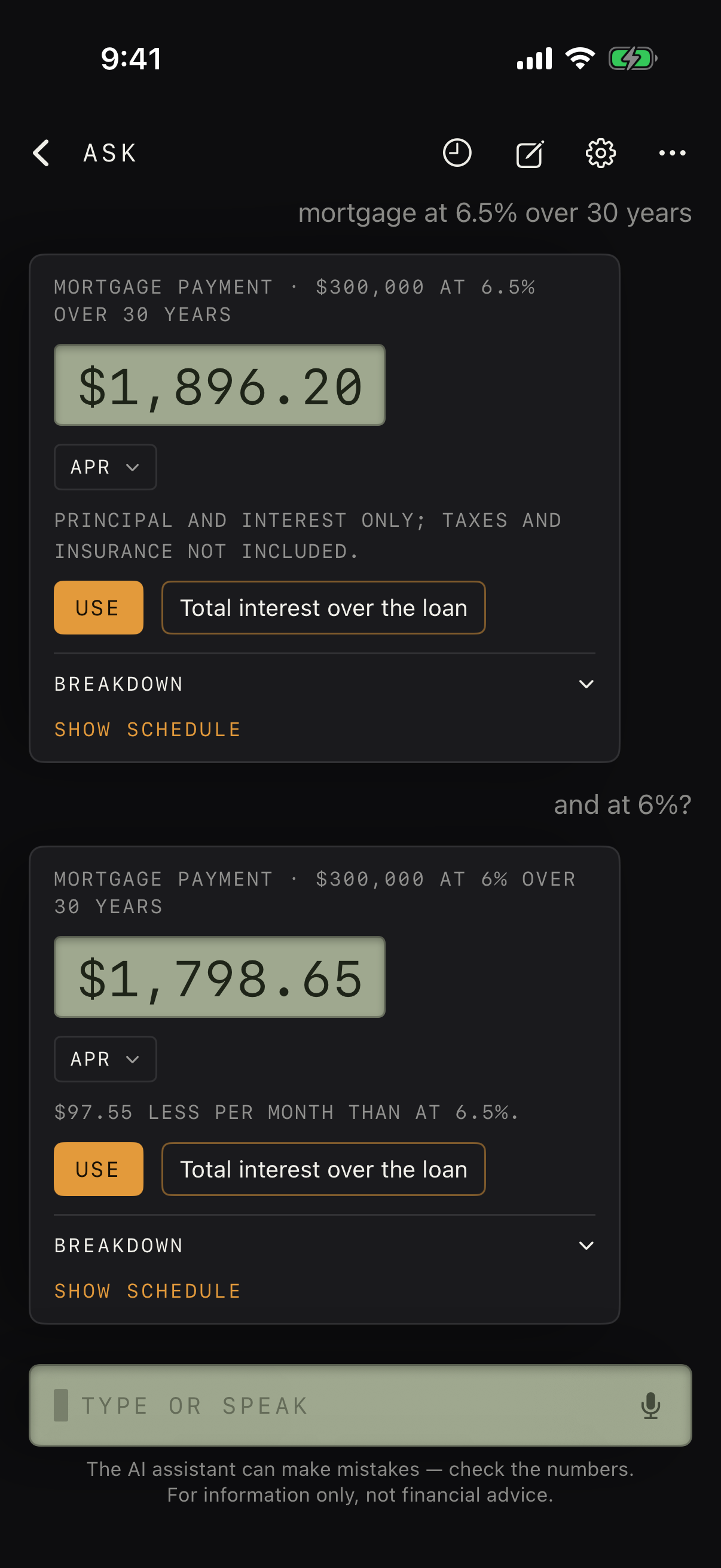
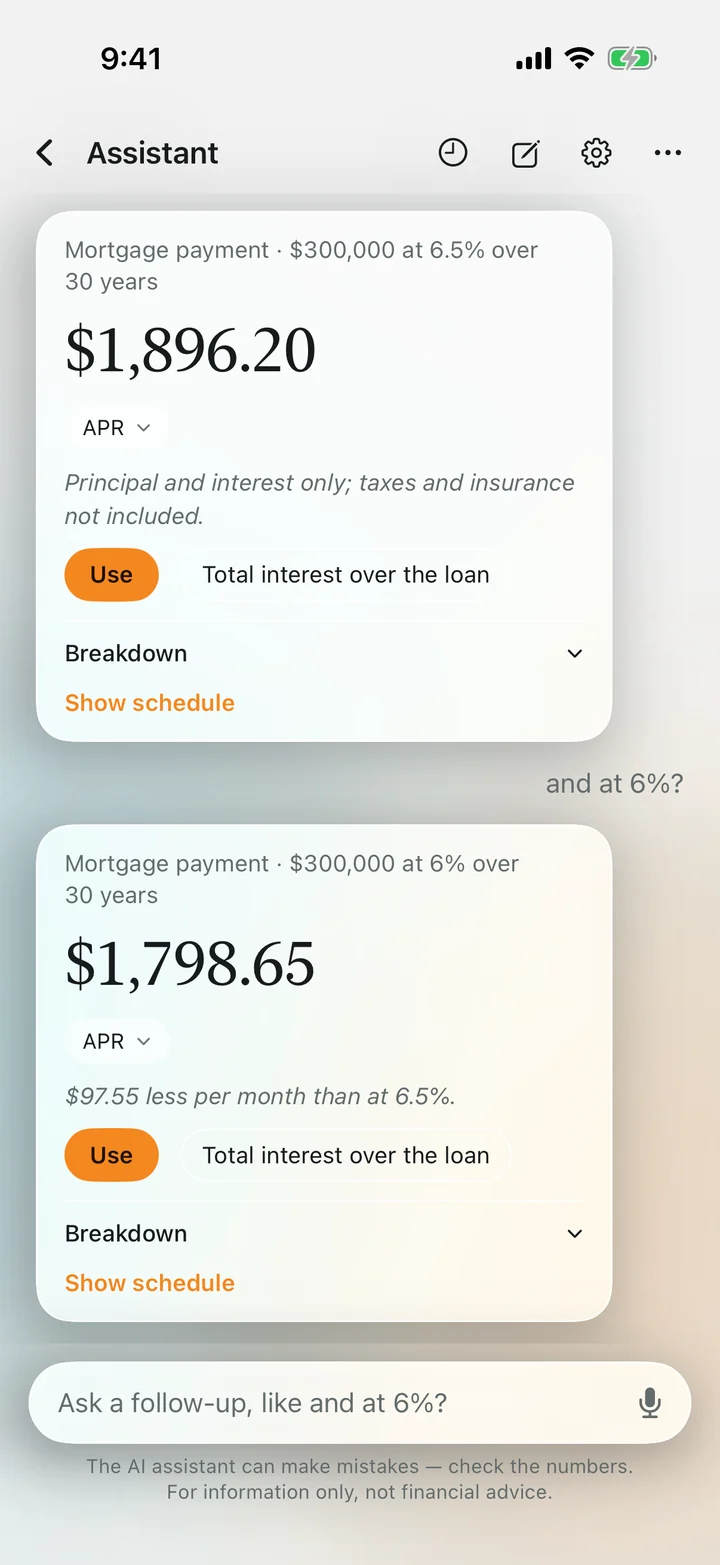 A follow-up changes one value and keeps the rest.
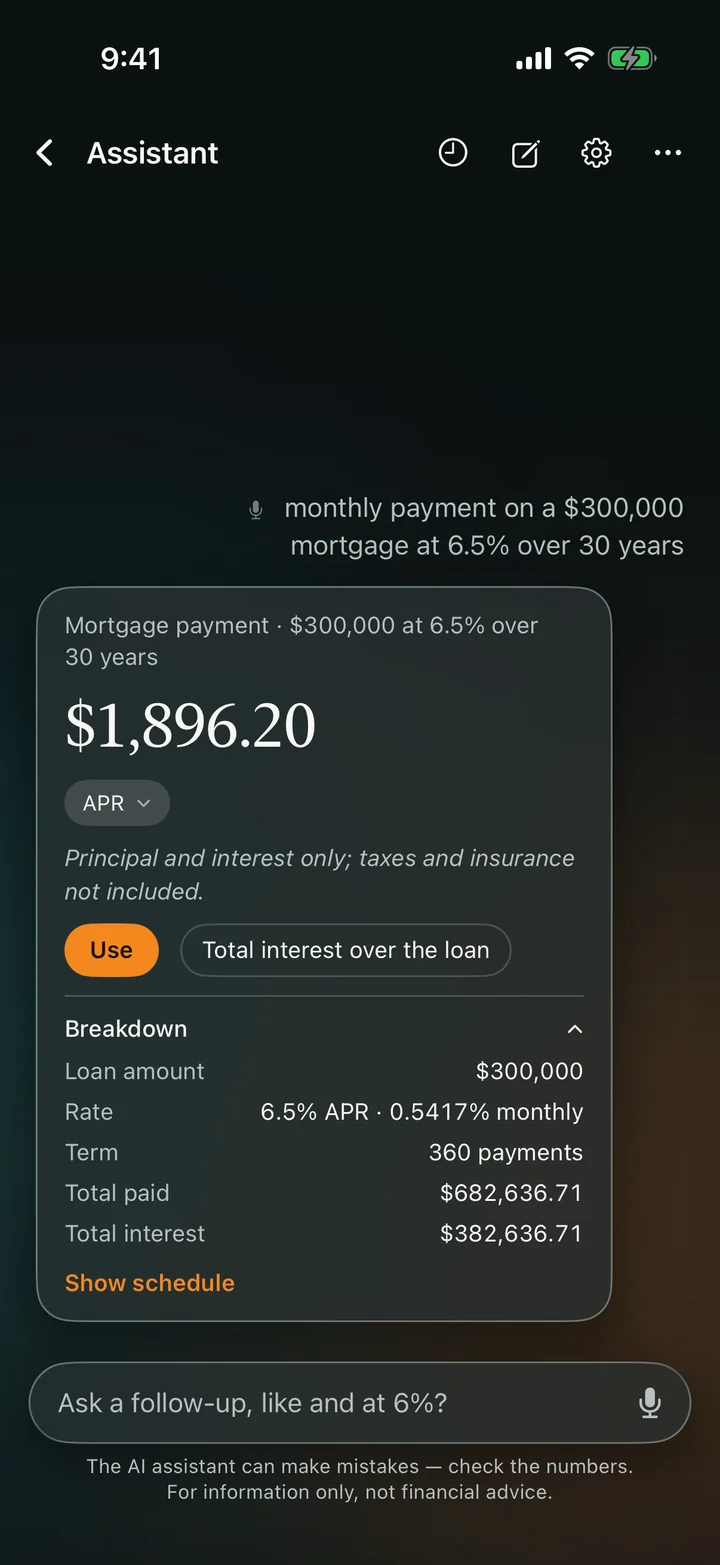 Glass in dark appearance.
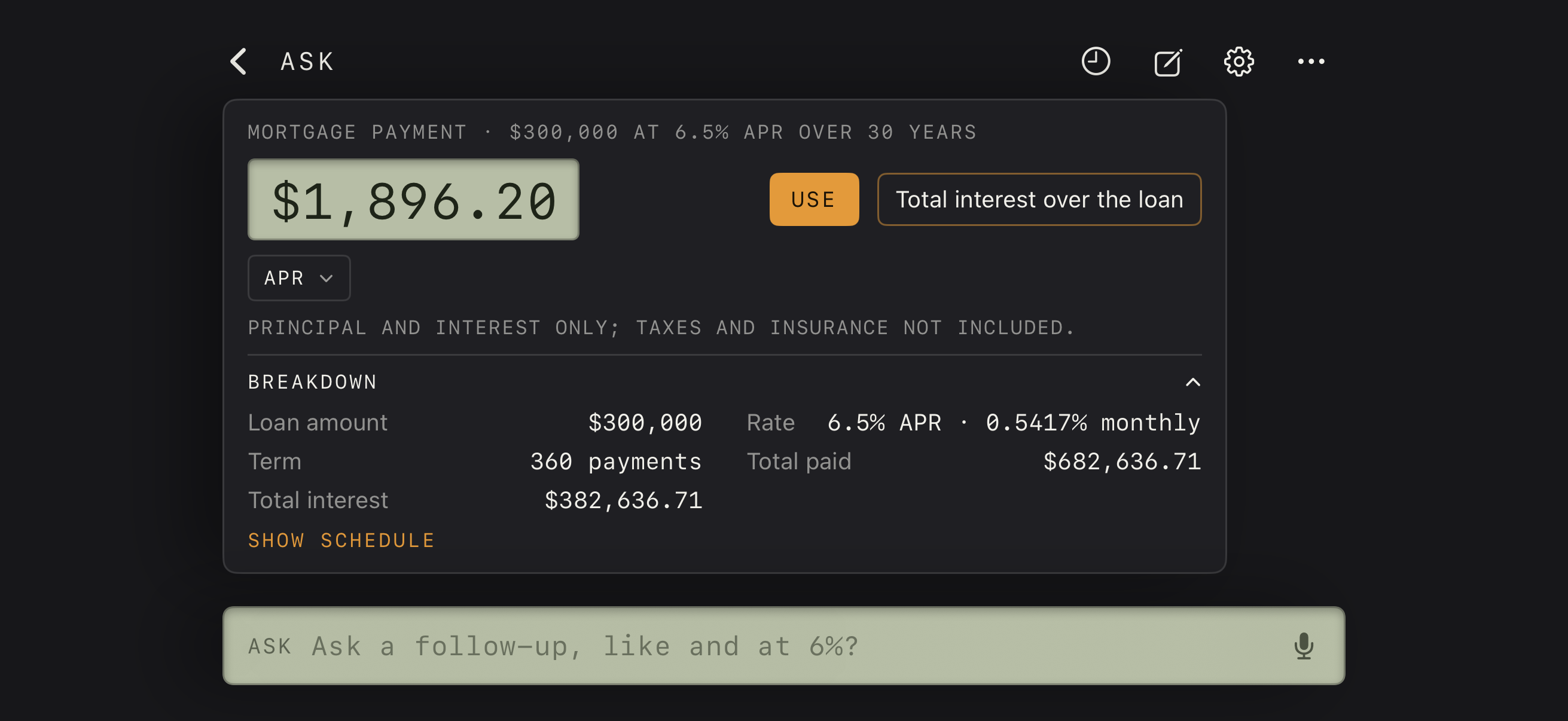
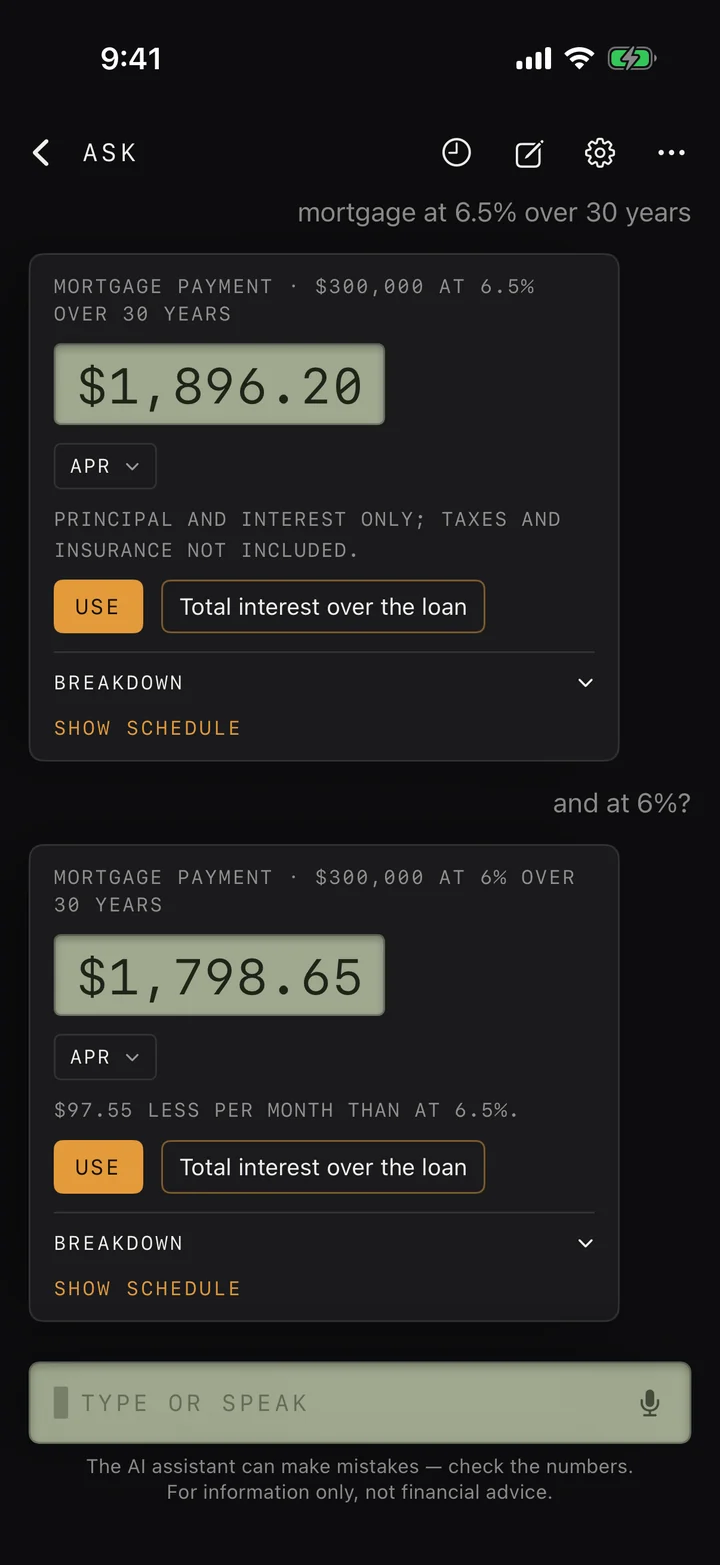 Vintage: answers printed on LCD wells, with a follow-up.
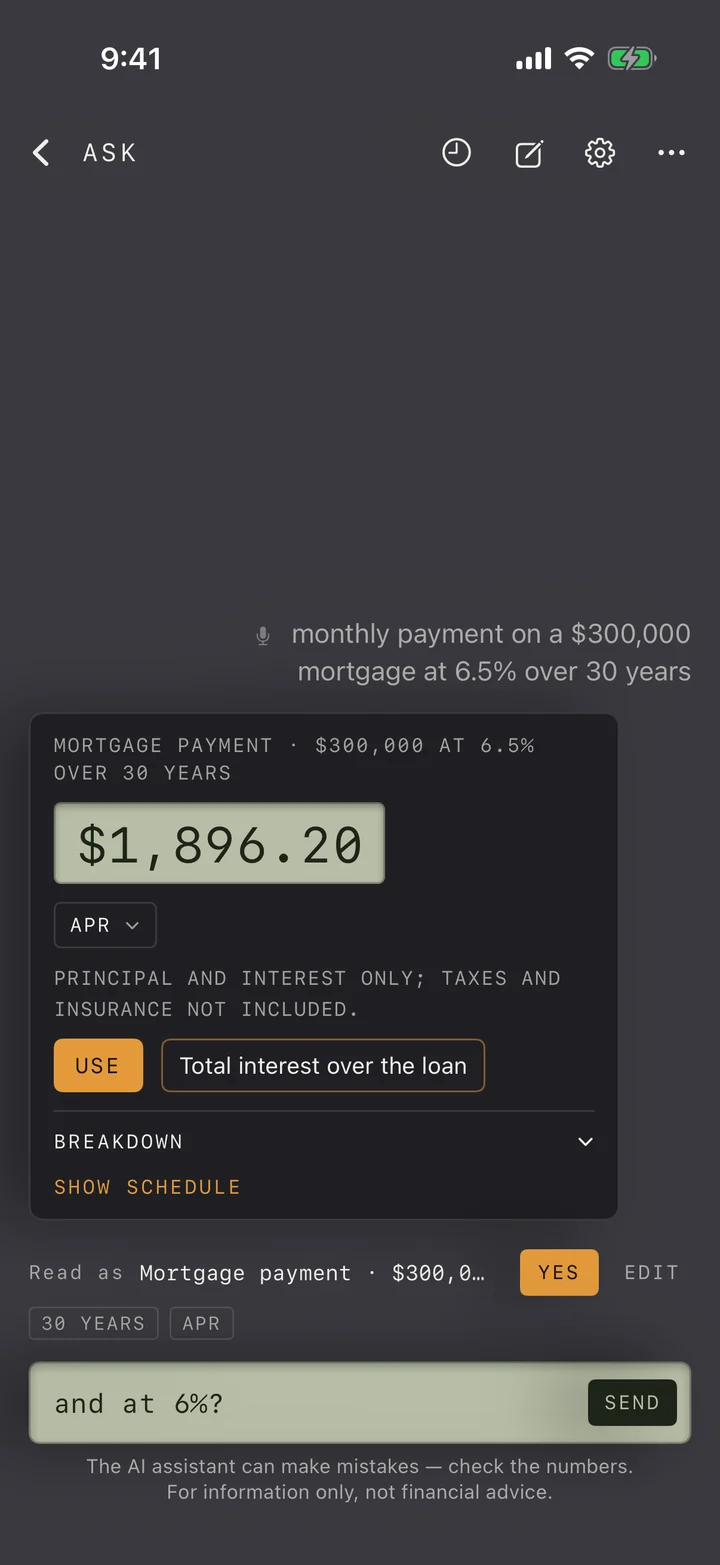 Vintage: Read as, then Yes or Edit, before anything is worked out.
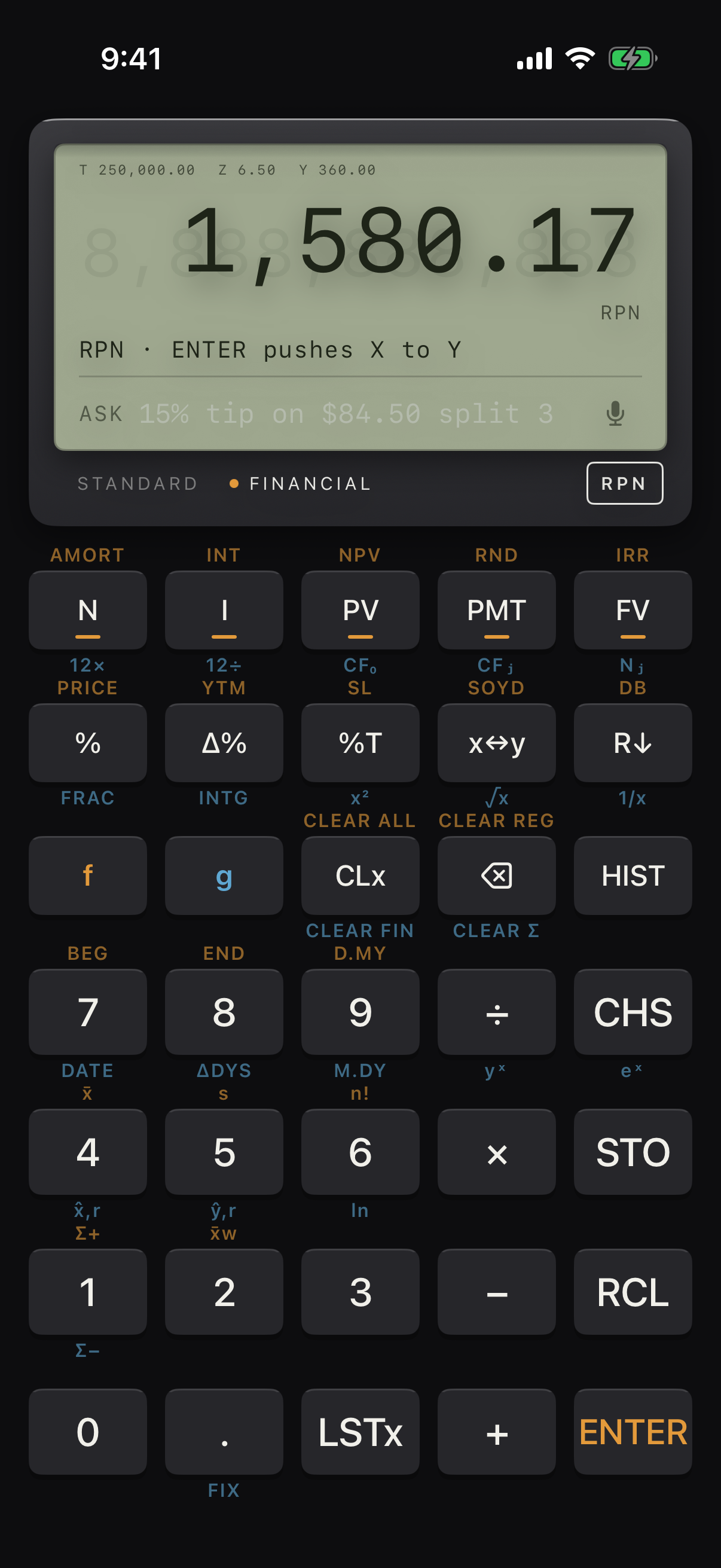
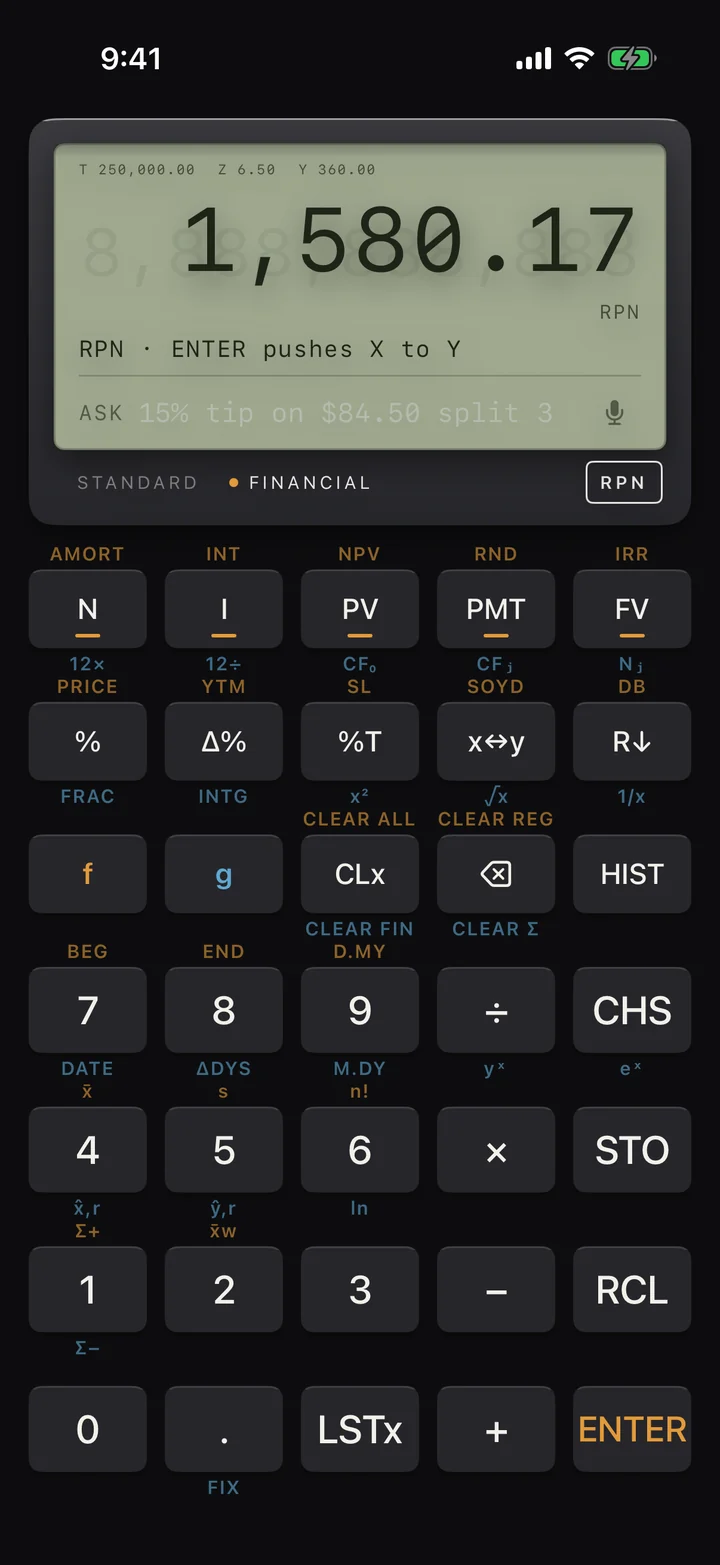 Vintage in Financial mode with RPN entry and the stack showing.
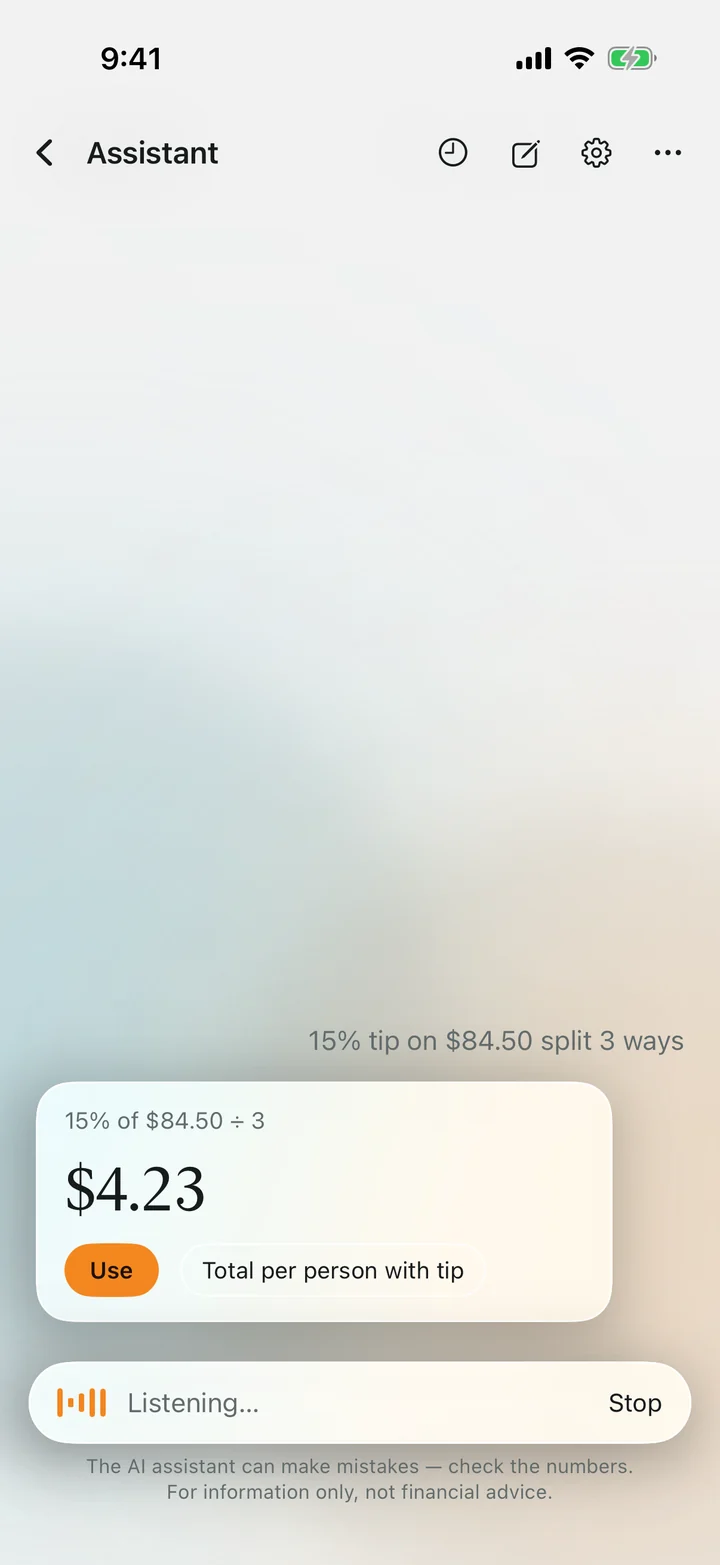 Ask out loud; speech is recognised on the device.
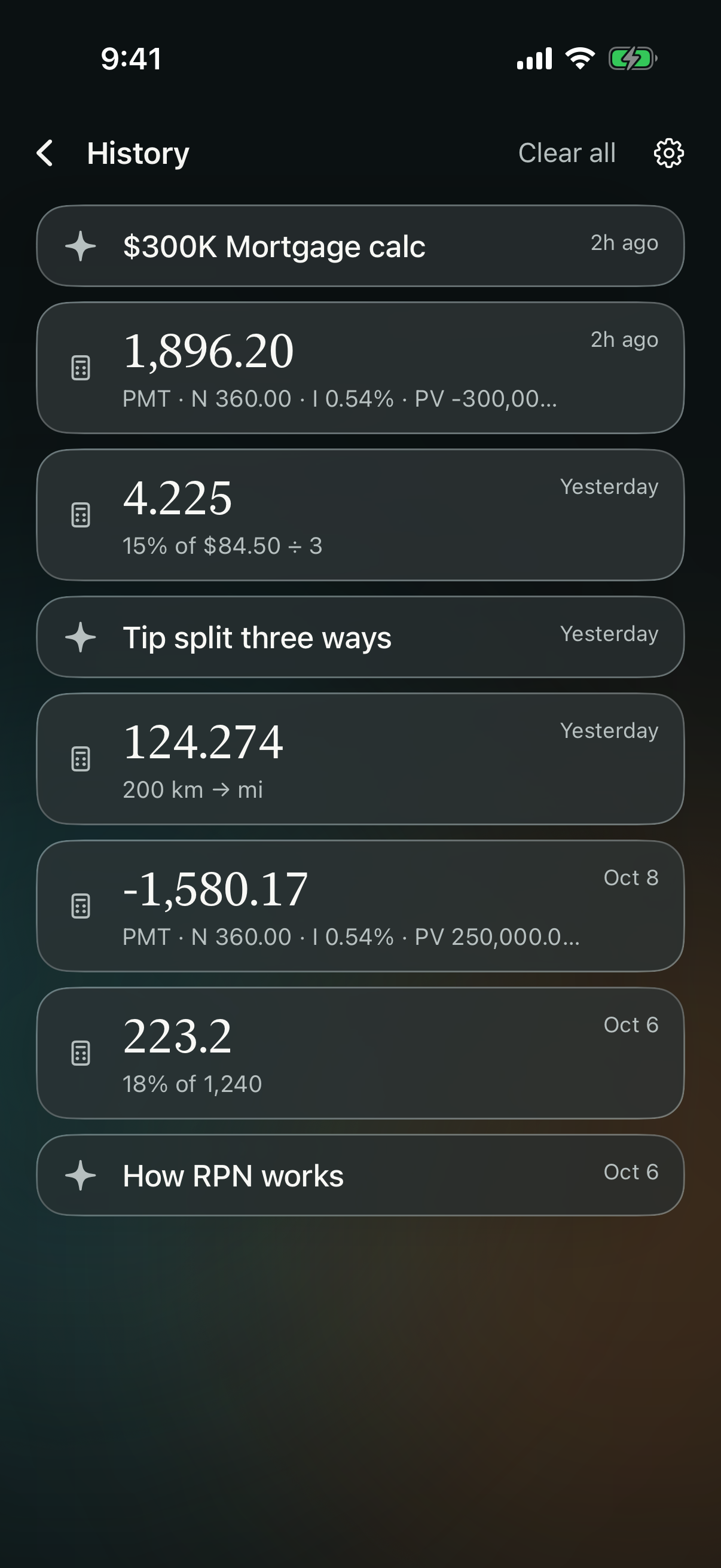
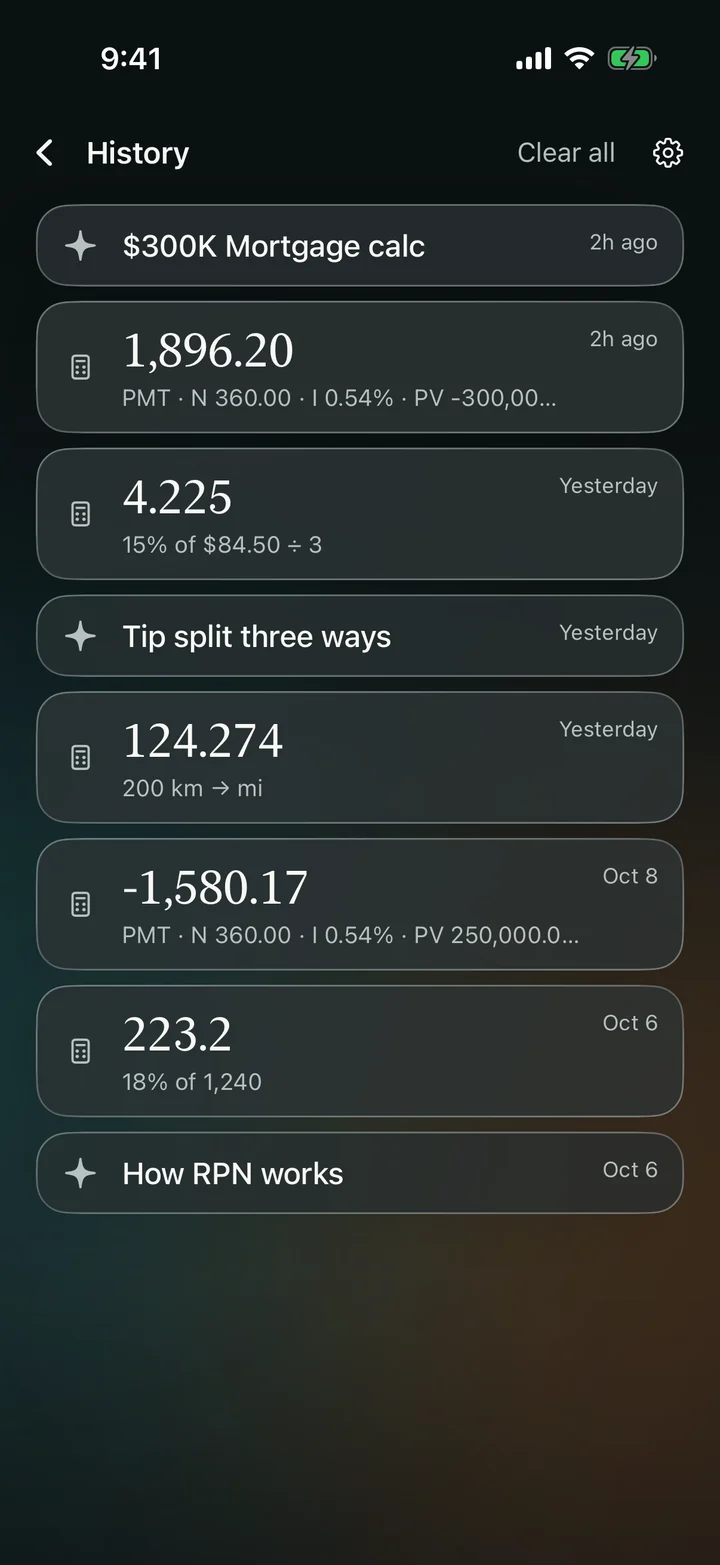 History keeps calculations and conversations.
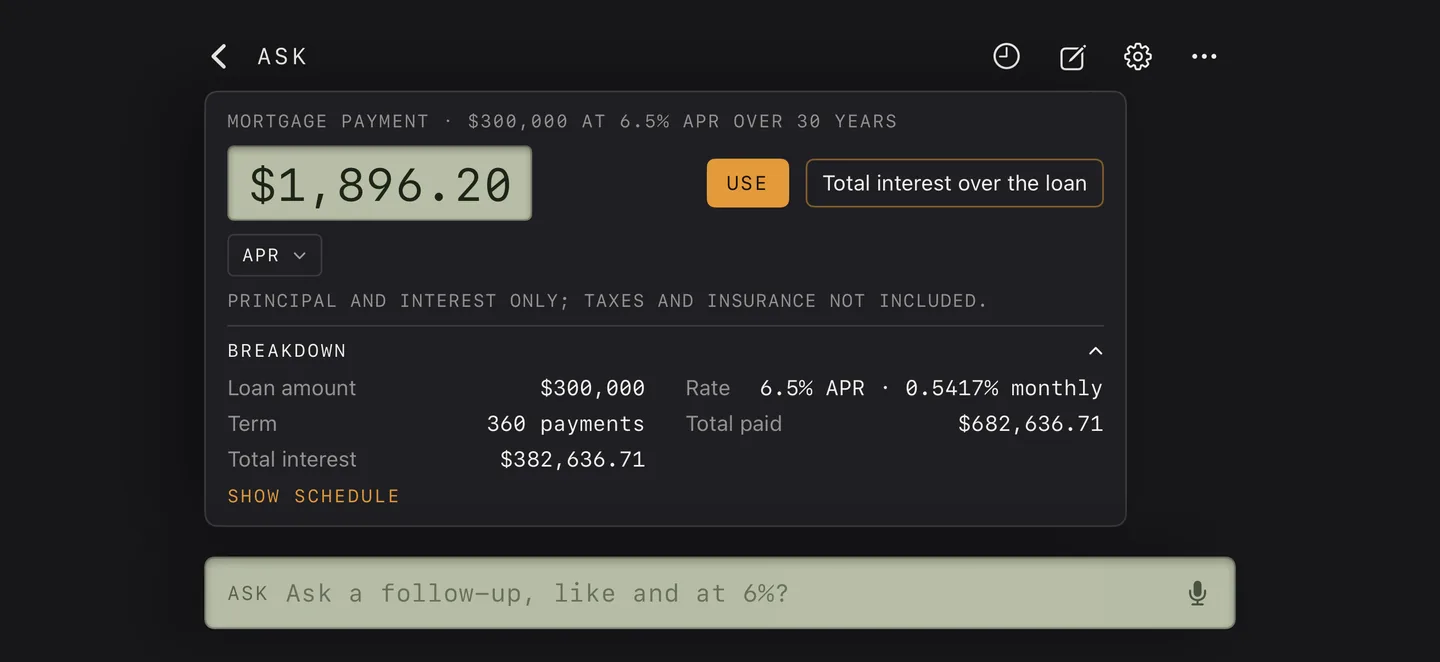 Vintage in landscape with an amortization schedule.
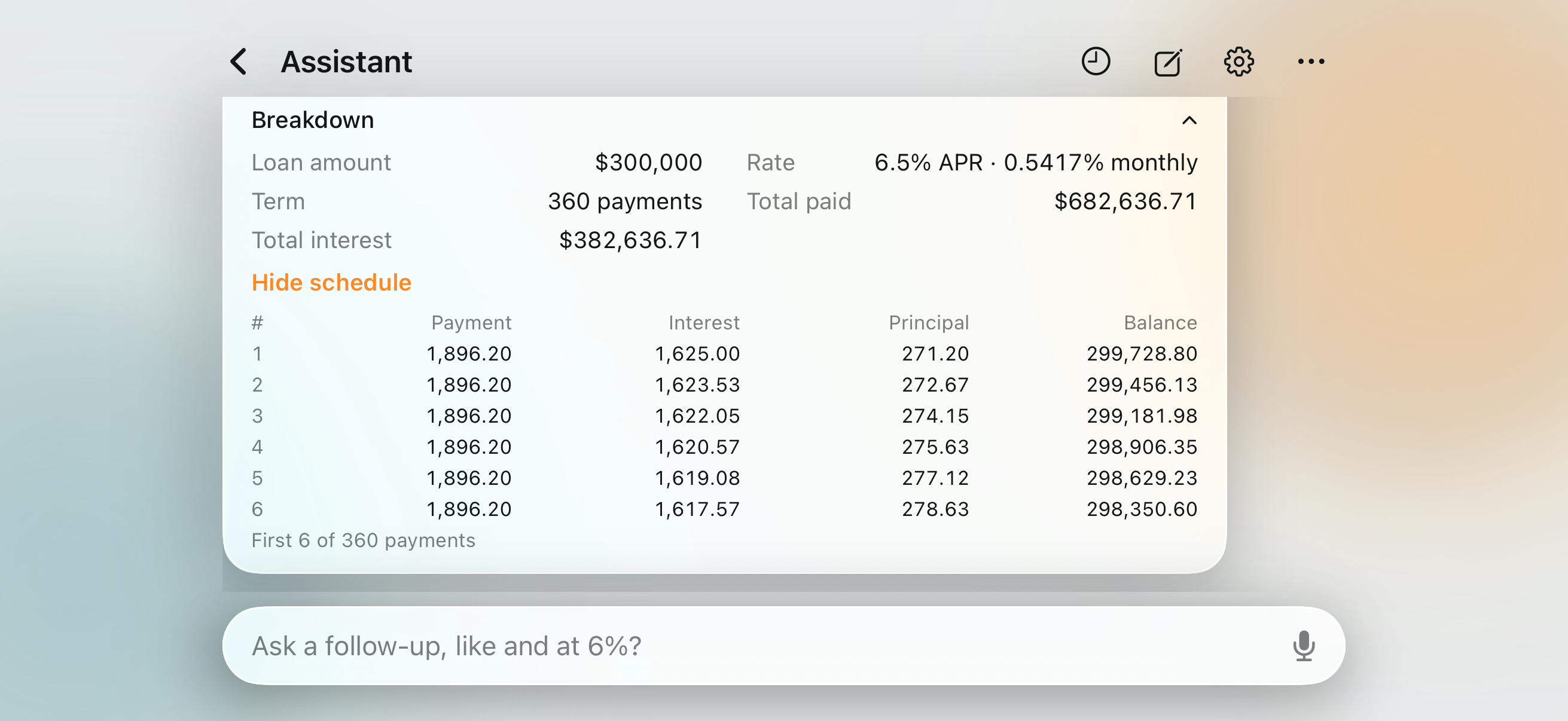
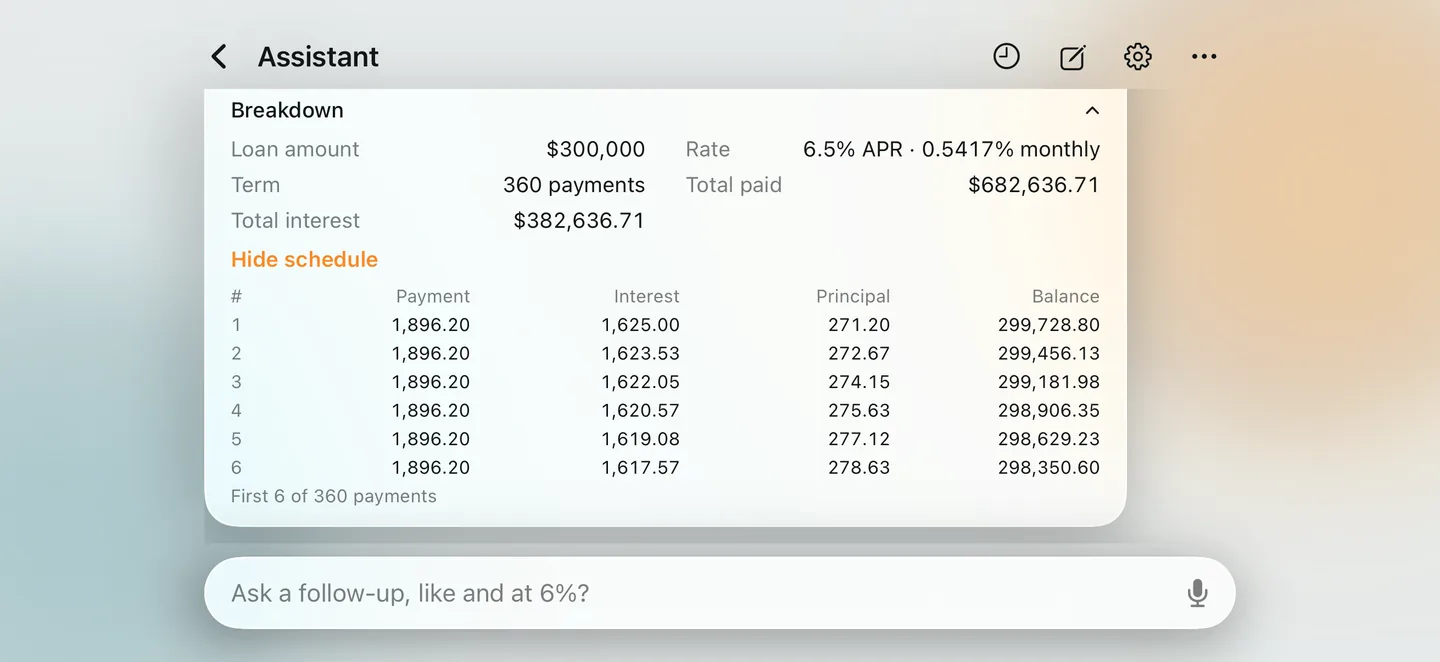 Glass in landscape with an amortization schedule.

Using these assets
Use them freely in coverage of VECA. Please don't alter the icon. Apple, iPhone and iPad are trademarks of Apple Inc.